
AI Engineering
Computer Vision Examples for Business: What It Does and How It's Built
 Vivian Tamman November 2026 9 min read
 What could a camera judge?
Computer vision is software that makes a judgement from an image or video that someone was making by eye: how many items are there, is this one damaged, what does this label say, what colour is this result. The practical examples fall into a handful of jobs, and each has a usual set of tools. This post goes through them by job, so you can see which one resembles your problem.
It is for an operations owner wondering what vision could do for them. It covers finding and counting, visual inspection, reading text, measuring, faces and the UK rules around them, running on site, and the work on numbers rather than pictures that often sits beside it. We name the tools we usually reach for, and say when buying a product beats building one. If you want a view on your own case, that is our computer vision service, with a feasibility study from £3,000.
Key takeaways
- Most business vision work is one of five jobs: finding and counting, defect checking, reading text, measuring, or matching faces.
- A model can usually be adapted from one already trained on general images with a few hundred examples of your own, so you rarely need huge datasets.
- Faces are different: biometric data used to identify someone is special category data under UK GDPR, so consent, an alternative and an impact assessment come first.
- Models can run on a phone, camera or small device on site when images cannot leave the building.
- Buy an off-the-shelf product when the task is generic. Build when your images, products or rules are your own.
What does computer vision actually do for a business?
It replaces or supports a judgement that a person makes by looking, at a volume or consistency a person cannot sustain. That is the pattern in every example below.
The three of our own projects we can talk about publicly show it. The first is the vehicle imaging platform: apps that guide each shot, a custom computer vision model that locates the vehicle and its features, automated background replacement and quality control, and 360-degree spins, on infrastructure handling millions of images a year at a cost per image that keeps the product commercially viable. The second is a medical test scanning app: a two-step algorithm for shape detection and colour measurement, a patient app and a clinician dashboard, later adapted for academic clinical research. The third works on numbers: the market prediction platform, where supervised models were trained on one analyst’s labelled history and accuracy was validated indicator by indicator.
The client details in these are confidential, so we describe the work and not the customers. The tools named in the sections below are the ones we usually reach for, not a list of what was used on those projects.
| Job | Tools we usually reach for | Example |
|---|---|---|
| Find and count | YOLO | Items on a shelf |
| Check for defects | PyTorch, OpenCV | Scratches on parts |
| Read text | Tesseract, PaddleOCR | Labels, documents |
| Measure | OpenCV, trained model | Colour, shape |
| Match faces | InsightFace | Access, with consent |
How do computer vision models find and count things?
An object detection model draws a box around each thing it recognises, and counting is then arithmetic. YOLO models are the usual starting point because they are fast enough to run on live video.
Ultralytics, which maintains the best-known YOLO family, describes object detection as identifying and locating objects within an image. One licensing point is worth knowing before you build on them: Ultralytics says its YOLO11 models are provided under AGPL-3.0 and Enterprise licences (Ultralytics). For a commercial product, someone needs to read the licence and decide which applies.
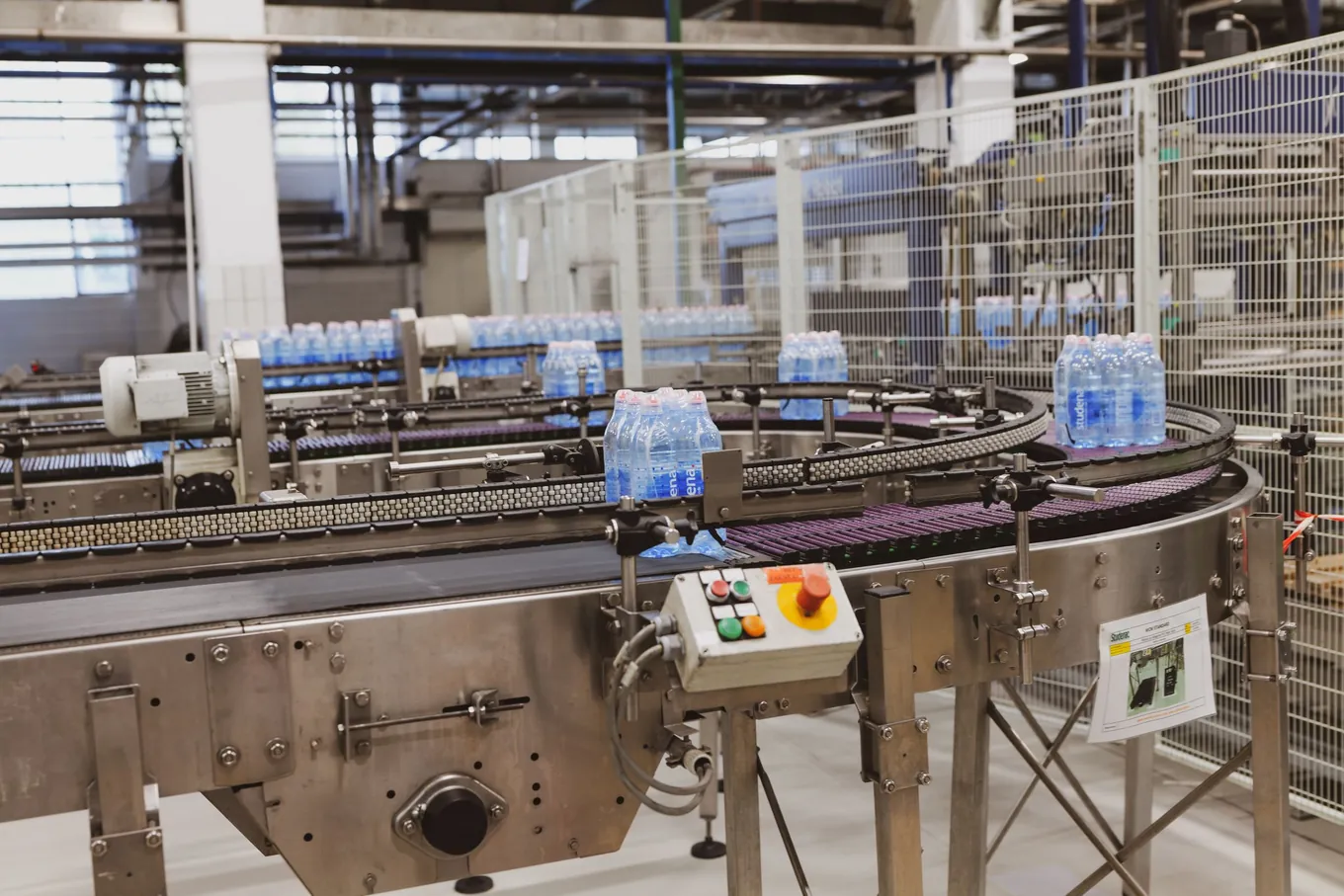
Typical jobs are counting stock on shelves, items on a conveyor, vehicles in a yard or people through a door. Fixed cameras and steady lighting make this far easier than photographs taken by the public, a difference our FAQ on the computer vision service page explains in terms of accuracy.
How does AI visual inspection find defects?
You train a model on your own good and bad examples, and it learns what acceptable looks like for your product. This is the heart of computer vision in manufacturing, and the model is only as good as the examples.
We train these in PyTorch, and use OpenCV for the work around the model: steadying lighting, straightening a photograph, cropping to the part that matters and pulling frames from video. OpenCV is an open-source library under the Apache-2.0 licence (OpenCV on GitHub). PyTorch is hosted by the Linux Foundation’s PyTorch Foundation. If you have seen “PyTorch vs TensorFlow” mentioned, the short developer-side answer is that either can train a model, and we pick PyTorch for training because our vision work is written in Python and it suits learning from your own images. We could not find a primary source for a market-share number, so we do not quote one.
Two honest limits. A model catches different faults, not simply more of them, and rare faults it has never seen stay hard, which is why people stay in the process. Second, changing a product or tolerance means retraining on fresh examples, so plan for that from the start. Our AI quality control service is built around that retraining.
Can a camera read text and measure from a photo?
Yes to both, with caveats on lighting and angle. Reading text uses OCR, and measuring uses image processing plus a trained model that finds the thing to be measured.
For text, Tesseract and PaddleOCR are open-source readers under the Apache 2.0 licence, and both say they support more than 100 languages (Tesseract, PaddleOCR). They suit text where the layout varies and no fixed template can be relied on. What happens after reading, turning text into invoice fields, is a separate job we cover in AI OCR: how document extraction works.
For measuring, our medical test scanning app is the clearest public example. Reading a colour-change test from a phone photo meant establishing where the test is in an uncontrolled photograph, and only then measuring the colour inside that known region. Splitting the problem in two is a useful pattern whenever cameras, rooms and lighting vary. Measuring shape, size or colour from a photograph is rarely one model; it is usually a locating step followed by a measuring step.
What about faces, and UK GDPR?
Matching a face to a known person is possible, but it is the one vision job where the law shapes the design. The ICO says that biometric data for the purpose of uniquely identifying a person is special category data, and that processing digital photographs of people does not automatically count as processing biometric data (ICO).
Once you are identifying people from faces, the ICO’s guidance says you must identify a lawful basis and a separate condition for processing, and that in many cases explicit consent is likely to be the most appropriate condition (ICO). The ICO’s facial recognition advice says a data protection impact assessment should be completed, updated or reviewed before every deployment, and suggests offering people an alternative way to use a service if they do not wish to take part in facial recognition. This is general information, not legal advice, and you should take your own advice on any face-matching plan.
On tools, InsightFace is the toolbox we reach for. Check its licence: the README says its training data and the models trained on it are available for non-commercial research purposes only (InsightFace). A commercial system needs a licensing answer before an architecture one.
Can vision run on site when images cannot leave?
Yes. A trained model can run on a phone, a camera or a small computer on site, so images never leave the building. That suits work covered by data protection rules and places with a poor connection.
ONNX Runtime is the tool we use for this. Its own site describes it as cross-platform, supporting cloud, edge, web and mobile, running on Linux, Windows, Mac, iOS, Android and in web browsers (ONNX Runtime). The trade-off is size: running locally limits how large the model can be, and that is decided when the work is scoped.
What if the problem is numbers, not pictures?
Often it is. Many inspection problems are better solved by sensors and tables than by cameras, and the two sit well together.
Our AI quality control work covers both. Where the checking is on measurements, scikit-learn learns the normal pattern and flags readings outside it. Its documentation separates outlier detection, where training data may contain unusual points, from novelty detection, where you ask whether a new observation is unusual (scikit-learn). Continuous measurements need somewhere to live, and TimescaleDB, described as a PostgreSQL extension for real-time analytics on time-series and event data, keeps them queryable over months (TimescaleDB). Grafana then shows state and history, and its alerting supports Email, Slack and Microsoft Teams (Grafana).
For forecasting and scoring on tables, XGBoost is usually the first thing to try, and its README describes it as a gradient boosting library designed to be efficient, flexible and portable (XGBoost). Hugging Face holds pretrained models you can adapt with less of your own data, and MLflow records what each model version was trained on and how it scored, so what is in production can be traced (MLflow). Our machine learning page covers that side, and our modern data stack post covers where the data should live.
We train and host on AWS, where graphics hardware is paid for only while it is in use.
How much data, and what does it cost?
You need fewer examples than most people expect, and costs depend on how much labelled material already exists. Our published prices at the time of writing are below.
| Service | Entry step | Build |
|---|---|---|
| Computer vision | From £3,000 | From £15,000 |
| AI quality control | From £2,000 | From £5,000 |
| Machine learning | From £2,500 | From £15,000 |
The entry step is a fixed-price feasibility study or data review that tests a model on a sample of your material and states in writing the accuracy you can expect. The build is one task or check live. Platforms with several models start from £40,000 for computer vision and machine learning, and from £10,000 for an AI quality control programme.
On data, our view is that a model can usually be started from one trained on general images and adapted with a few hundred examples of your own, with more needed where a fault is rare. For ordinary business predictions on tables, a few thousand past records with the outcome recorded is often enough to get a useful result. A single task usually takes eight to twelve weeks from agreed scope to live use.
Should you buy a product or build one?
Buy when the task is generic and a product already does it. Build when your images, products or rules are your own.
A bought product is the right answer for common tasks such as reading standard documents, counting people through a door or scanning barcodes. It starts working sooner, and someone else maintains it. Building makes sense when what counts as acceptable is specific to you, such as your product’s finish, your photography standard or one analyst’s reading of a chart, or when images must stay on site.
The cheapest next step is a feasibility study on a sample. Gather 50 to 100 representative images, including awkward ones, and book a call. We will tell you whether the images are enough, whether a product would do, and what a feasibility study would test.
Frequently asked questions
What are some examples of computer vision in business?
Finding and counting items in a photo, checking products for defects, reading text from photographs, measuring shape or colour from an image, and matching faces with consent. Our public examples include a vehicle imaging platform that locates a car and checks each photo, and a medical test scanning app that detects a test's shape and measures its colour from a phone photo.
How is computer vision used in manufacturing?
Mostly for visual inspection. A camera in a fixed position photographs each item, and a model trained on your own good and bad examples flags the ones that look wrong. Software such as OpenCV prepares the image, and sensor data such as temperature or vibration can be checked alongside it for patterns that signal a fault before one appears.
How much data does a computer vision model need?
Less than people expect. A model can usually start from one already trained on general images and be adapted with a few hundred examples of your own, not tens of thousands. Where a fault is rare, more collection is needed. A short feasibility study on a sample of your images answers this before you commit to a build.
Is facial recognition legal in the UK?
It can be, with conditions. The ICO says biometric data used to uniquely identify a person is special category data under UK GDPR, so you need a lawful basis plus a separate condition, and explicit consent is likely to be the most appropriate condition in many cases. A data protection impact assessment comes first. This is general information, not legal advice.
How much does a computer vision project cost?
Our published prices: a feasibility study from £3,000, a single vision task built and live from £15,000, and a platform with several models from £40,000. What moves the figure is how much labelled material exists, how accurate the result must be and where the model runs. Checking numbers rather than images, our AI quality control work starts from £5,000 for one check.
Could a camera make this judgement?
Book a free 20-minute consultation and we'll tell you whether your images are enough, or whether a bought product will do.
Keep exploring
-
 How to Build an MCP Server: A Practical Guide for Business Systems
How to build an MCP server that connects your CRM, database or documents to Claude or ChatGPT: what to expose, SDK, transport, OAuth, testing and security, with our prices.
Read more -
 What Is an MCP Server? A Plain Guide to the Model Context Protocol
An MCP server connects an AI assistant to your business systems through the Model Context Protocol — an open standard from Anthropic. What it is, how it works, and when you need one.
Read more